Helpdesk is Xelix's AI-powered shared mailbox and vendor-query platform for Accounts Payable teams. I led the end-to-end design from early concept to core product line, connecting unstructured vendor communications with ERP data and operational workflows across Xelix.
01. THE PROBLEM
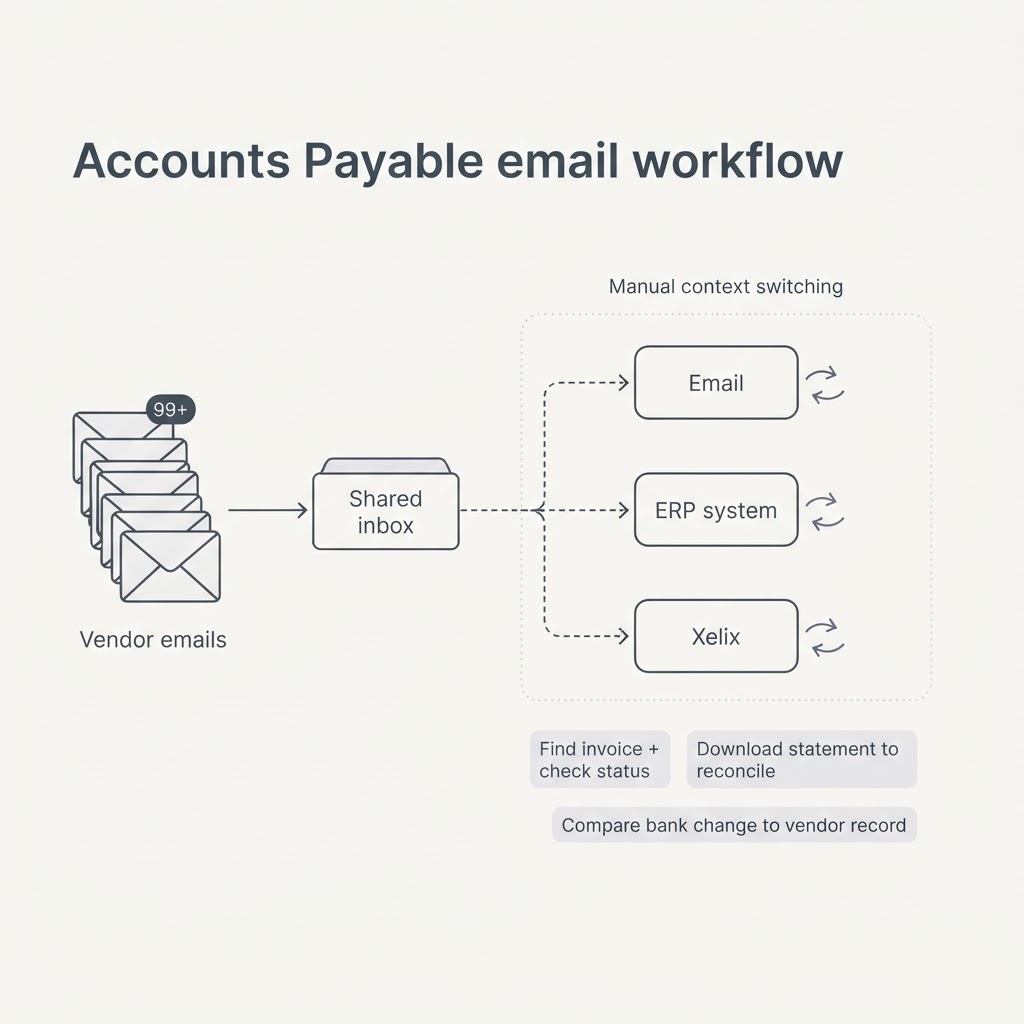
Accounts Payable teams received thousands of non-standardised vendor emails through shared inboxes. Reading, prioritising and assigning them was time-consuming, while generic ticketing tools were not designed around specialist finance workflows.
Resolving one query often required moving between email, an ERP and different areas of Xelix. A payment reminder meant locating an invoice and checking its status. A statement had to be downloaded before reconciliation could begin elsewhere. A bank change required manually comparing the request against the existing vendor record.
The inbox captured communication, but not the operational work behind it. Teams lacked a reliable way to track ownership, protect service levels and understand where demand was coming from.
02. THE INSIGHT
I interviewed AP clerks and managers, mapped their most frequent workflows and worked with internal teams to understand what data Xelix could already provide.
The email itself was only the beginning of the task. Users needed to know what type of query it was, how urgent it was, who owned it, which financial record it related to and what action should happen next.
Research also exposed a tension around AI. Clerks wanted automation to remove repetitive searching and administration, but they needed visibility and control when financial accuracy mattered. They wanted to understand what the system had found before trusting it to respond or act.
This gave us a central product principle: automate the investigation before automating the decision.
03. THE APPROACH
Rather than adapting a generic ticketing system, I worked with Product, Engineering and AI to design Helpdesk as a connected operational layer across Xelix.
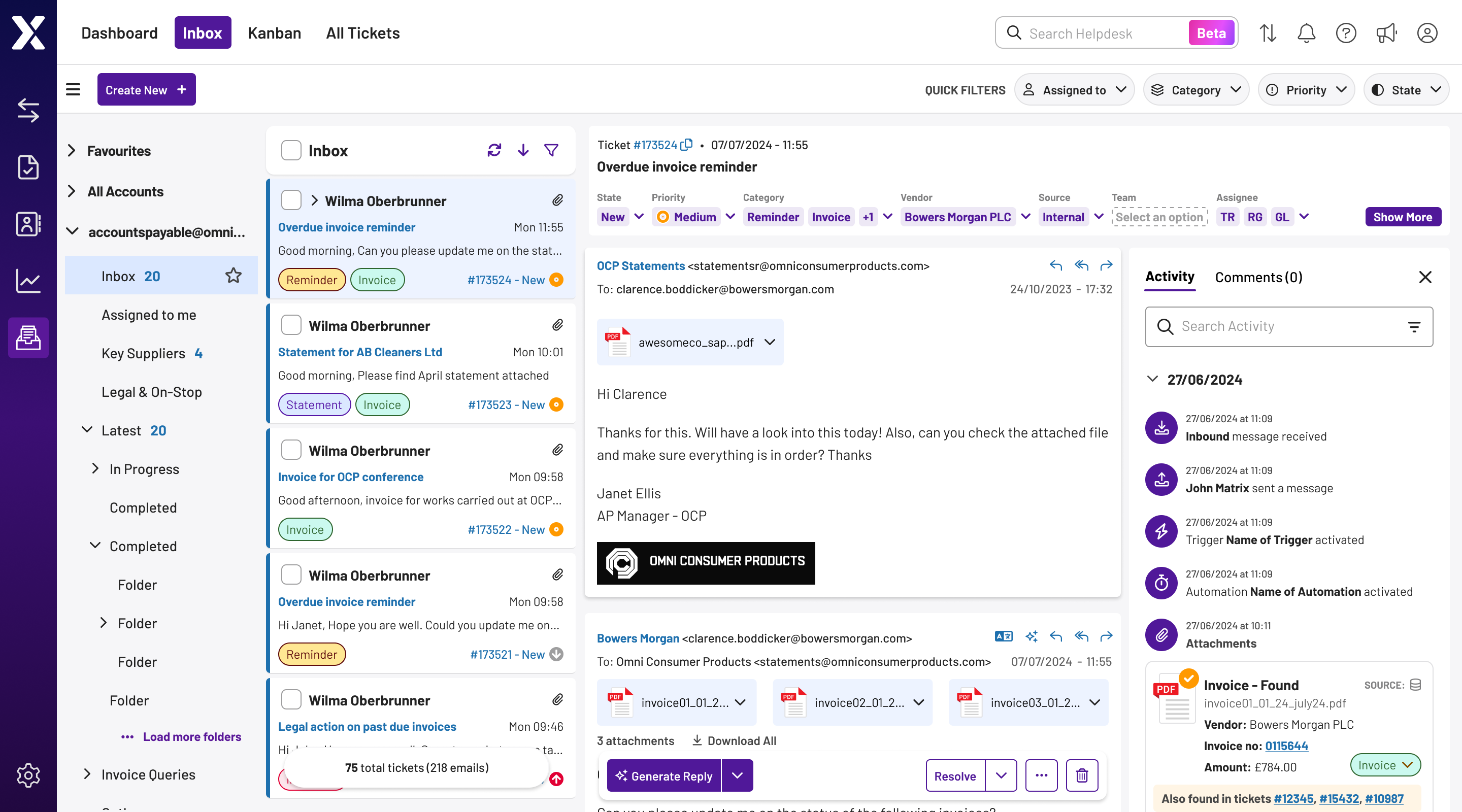
We separated what could be delivered immediately from functionality that depended on reliable data extraction and matching. The foundation connected multiple mailboxes, converted email threads into tickets and introduced permissions, categories, statuses, assignments and internal collaboration.
We could then connect specific ticket types to relevant Xelix and ERP workflows. Generated responses, automatic routing, translation and more autonomous resolution could be introduced as the data and users' trust in the product developed.
Throughout Agile delivery, I facilitated workshops, tested concepts with customers, ran design reviews and supported implementation through design QA. I also established reusable patterns for ticket states, contextual data panels, filters and assignments across Figma and Storybook.
Success measures were defined around response and resolution time, SLA compliance, automation rates, workload distribution and workflow adoption.
04. THE SOLUTION
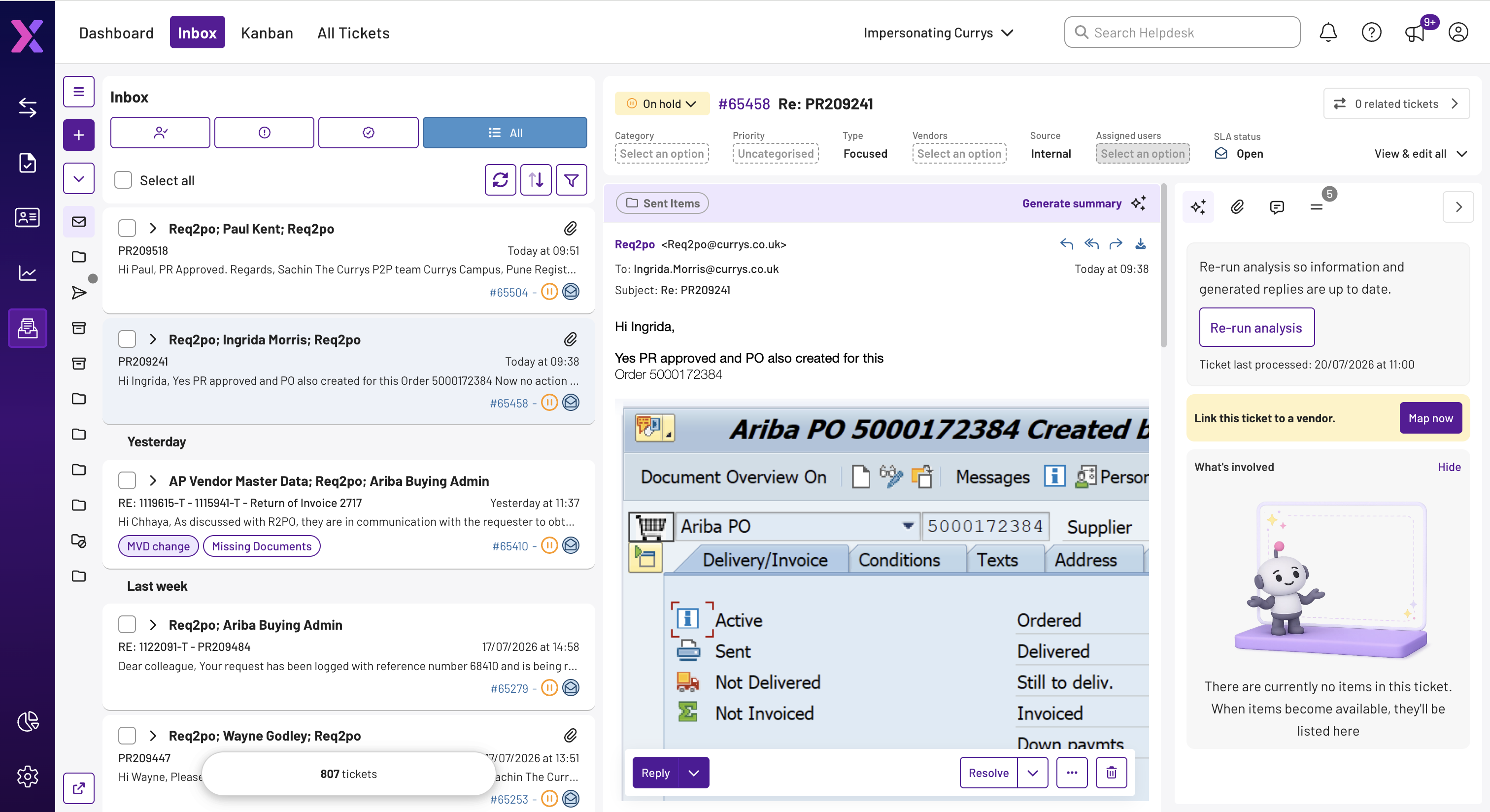
Helpdesk combined a shared mailbox and ticketing system with Xelix AI and the financial data held across the wider platform.
Large Language Models read and categorised incoming emails and their attachments. Threads became trackable tickets that could be filtered, prioritised, assigned and moved through clear statuses without losing the original conversation.
Statement attachments could move directly into reconciliation. Payment reminders could be matched with ERP invoice data and used to generate a response based on whether an invoice had been posted or paid. Bank and vendor-information changes could be compared against existing records, helping teams identify differences and potentially suspicious requests.
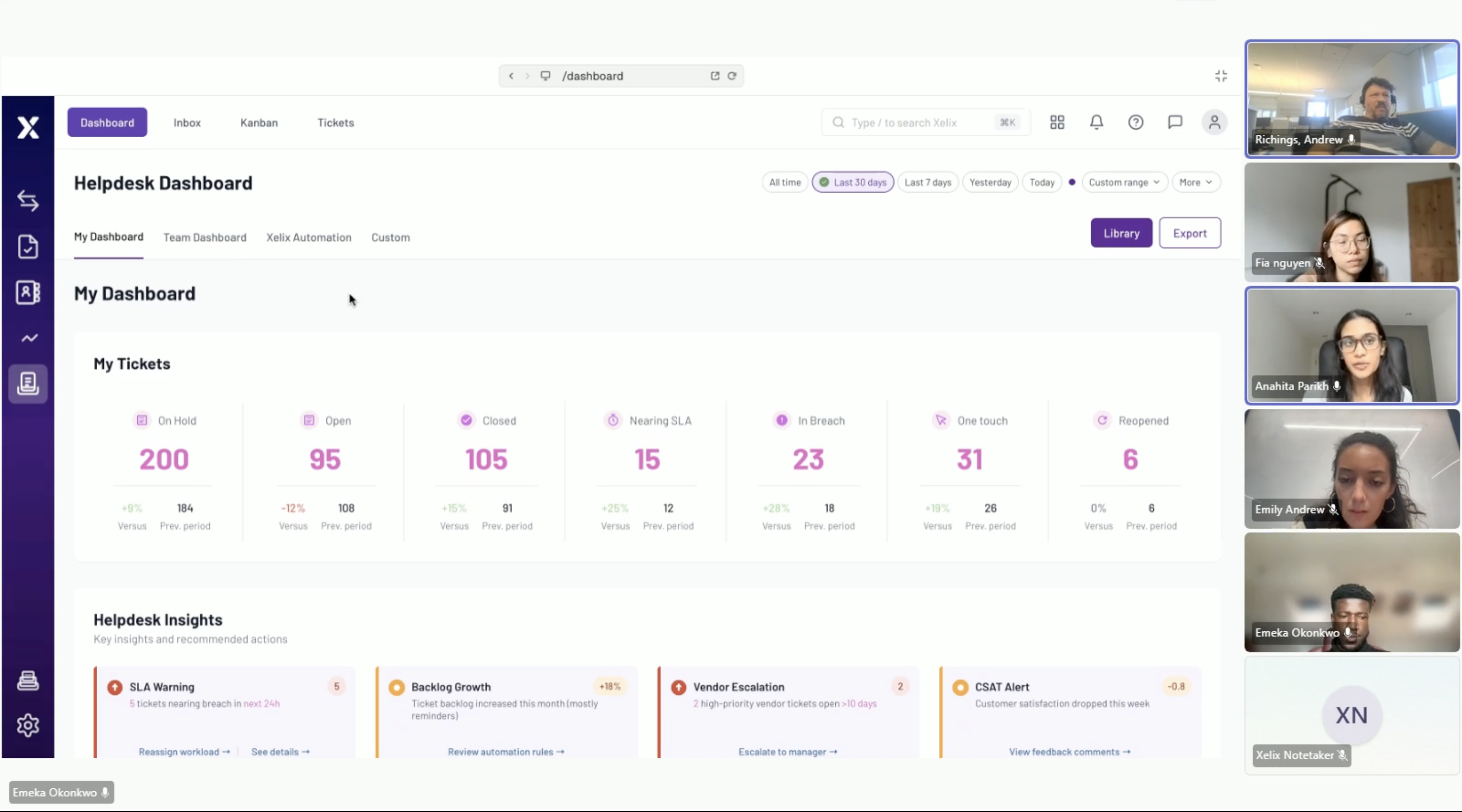
Automation rules allowed tickets to be routed, assigned or answered based on categories and team preferences. Managers could monitor workload, query trends, resolution rates, SLA performance and the contribution made by Xelix automation.
The innovation was not simply generating replies. Helpdesk connected unstructured vendor communication with trusted operational data, turning an inbox into an intelligent Accounts Payable control layer.
05. RESULTS
Helpdesk grew from an emerging concept into a core Xelix product line, expanding the platform beyond audit and control into day-to-day vendor communication.
32 organisations signed on after Helpdesk was introduced to customers. During the period in which the product was developed and established, Xelix grew from approximately £2M to £25M+ ARR.
The commercial product now offers customers a path to automatically resolving up to 40% of incoming tickets within 90 days, while Xelix positions the connected experience as helping teams spend up to 50% less time managing vendor queries.
After launch, I used FullStory, product analytics and customer feedback to identify friction and guide further iterations. A later dashboard redesign increased the proportion of users starting their workflow from the dashboard by 8% and reduced the time required to identify priority work by 24%.
The architecture also created a foundation for generated replies, translation, ticket summaries, custom automation and increasingly autonomous workflows across the wider Xelix platform.